
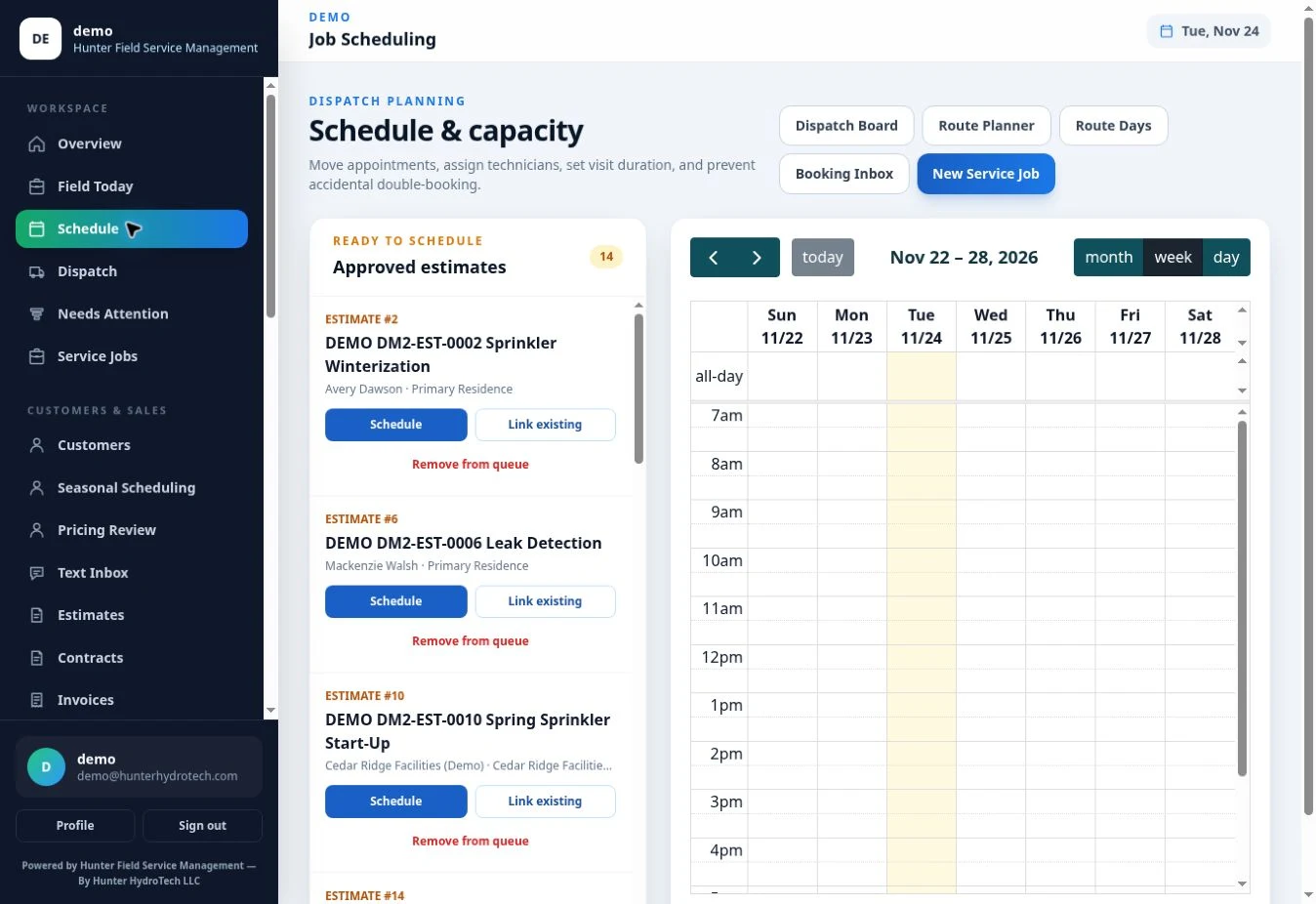
Scheduling & dispatch · desktop
Hunter Field Service Management · Feature Solutions
HFSM Editorial Team · Published Nov 24, 2026
Coordinate service jobs, technician assignments, property information and route planning from the HFSM workspace.
A dispatcher balances technician skills, appointment commitments, travel, job duration and customer access. A route that looks efficient geographically may still be impractical if the assigned technician lacks a required part or the customer cannot provide access at that time.
HFSM includes scheduling, a dispatch board and route planning workflows. Use customer and property records to clarify job requirements before assigning work. Review the route before committing it, and make changes deliberately when emergency work or delays affect the day.
Before departure, confirm assignments, required materials and appointment windows. During the day, use available job status updates to identify delays. Communicate revised expectations when necessary. At the end of the day, review incomplete jobs, follow-up estimates and any work that needs rescheduling.
Track actual driving time and completed jobs against the plan. This will help distinguish routing problems from inaccurate service duration estimates. If using GPS features, establish an employee-facing location policy and test permissions on supported devices.
Irrigation scheduling · Mobile apps
Explore the interactive HFSM demo or review plans and pricing.
Actual HFSM product screens and recordings. Example data is used where applicable. Features depend on plan and configuration.
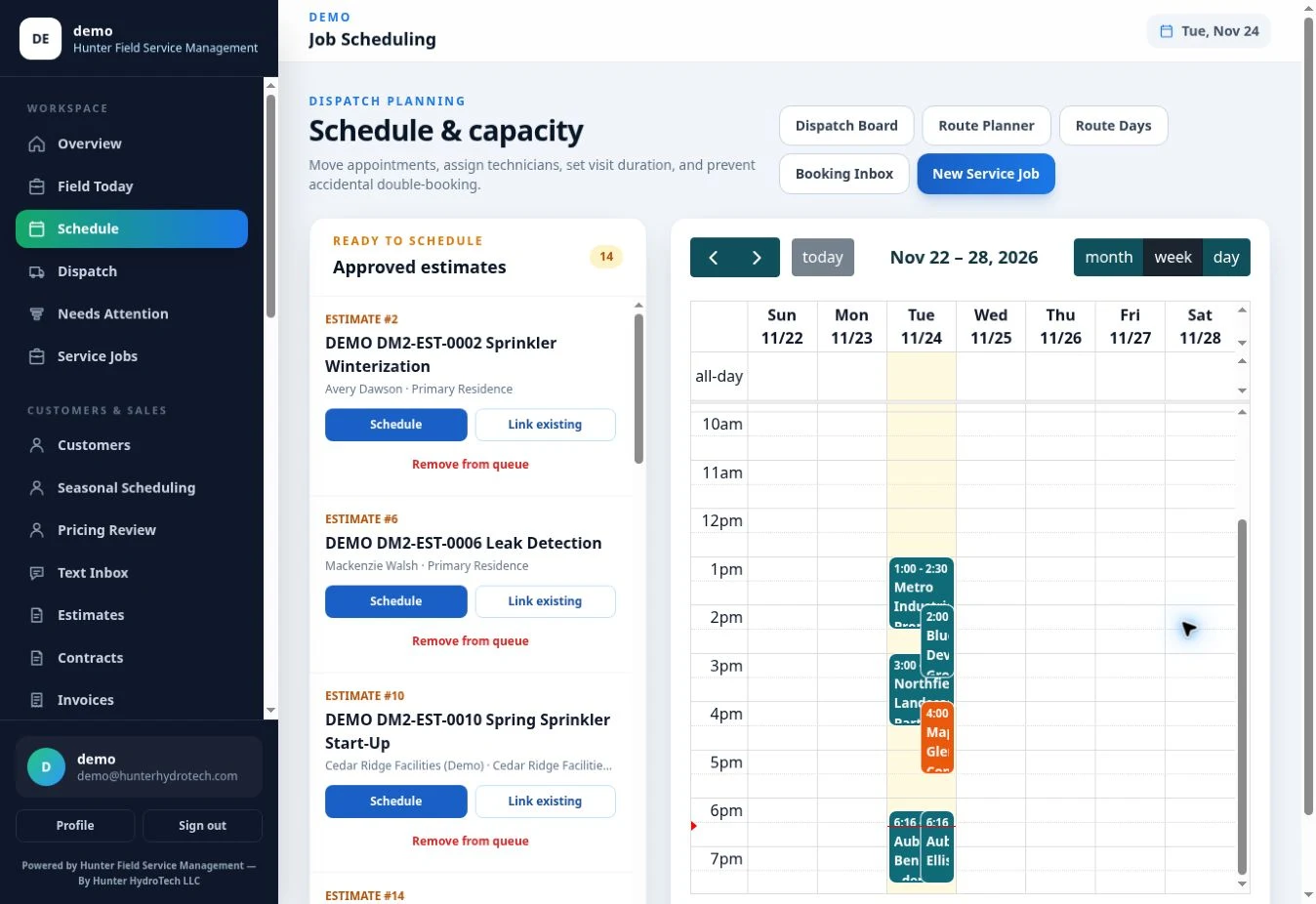
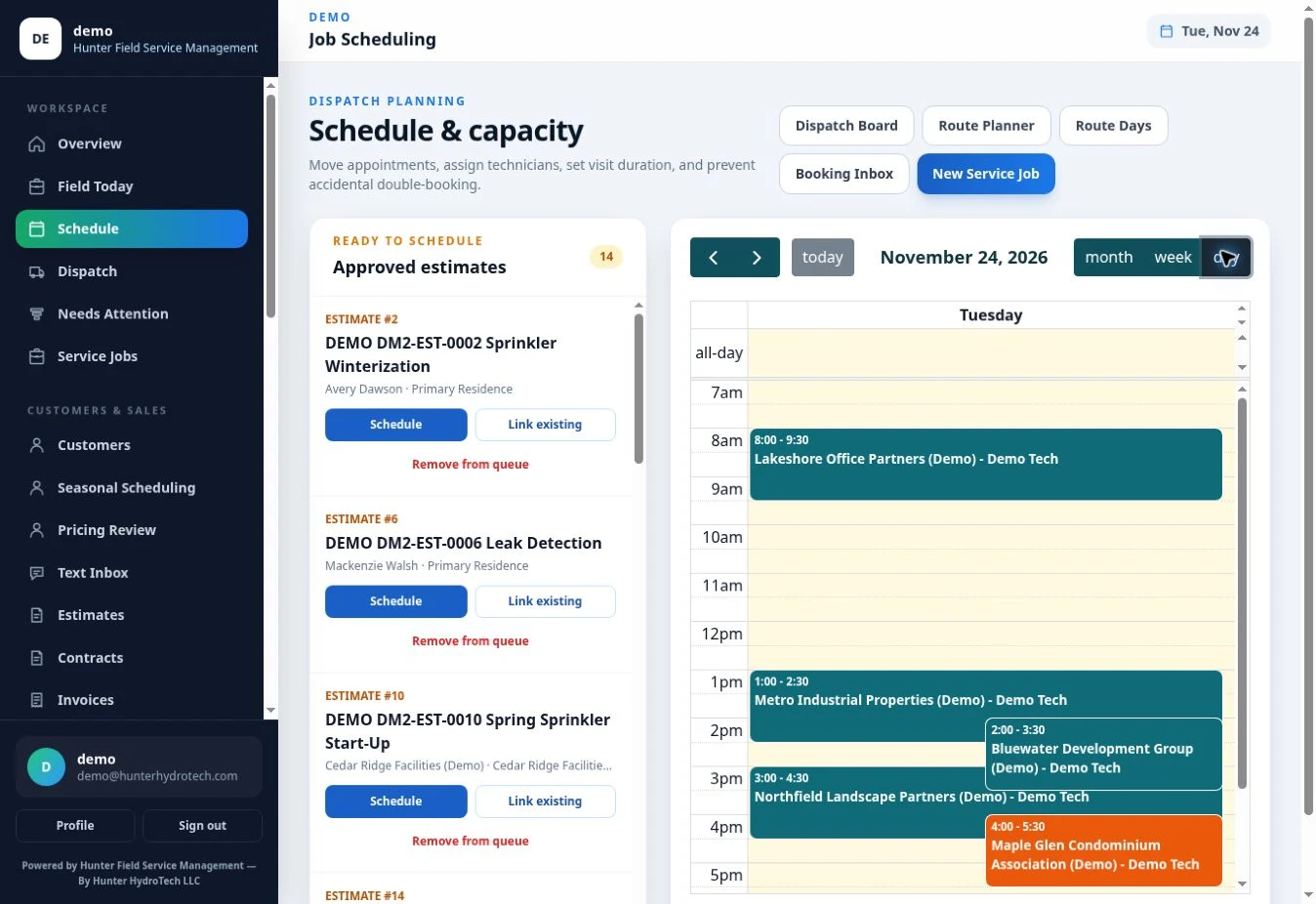
HFSM supports technician assignment and dispatch workflows. Confirm your team’s specific assignment needs in the demo.
Use location features transparently with appropriate permissions and policies.
Manage jobs, customers, field teams and administrative workflows from one platform.
Explore the interactive demoLive chat is provided by Tawk.to. Continuing loads its service, which may use cookies and browser storage. This choice is separate from website analytics. Privacy Policy.