
Property mapping & equipment · video
Hunter Field Service Management · General Solutions
How to Document Sprinkler Equipment With Property Maps
HFSM Editorial Team · Published Nov 24, 2026
Create a consistent property documentation process for recurring sprinkler service visits.
Start with a clear process
Start with the property record and document known controller, backflow, valve and pump locations. Use consistent labels and note when a location has not been verified. Avoid copying equipment details from another property without checking them.
Put the process into practice
During each service visit, update incorrect records and document relevant photos or inspection findings. Distinguish observed conditions from recommendations. Store private access instructions with appropriate access controls rather than in publicly shared images.
Review and improve
Test your documentation by sending another authorized technician to review the record. If they cannot locate the relevant equipment, improve the labels and notes. Maps are operational references, not substitutes for required utility locating or safe excavation practices.
Explore related workflows
Explore the interactive HFSM demo or review plans and pricing.
See this workflow in HFSM
Actual HFSM product screens and recordings. Example data is used where applicable. Features depend on plan and configuration.
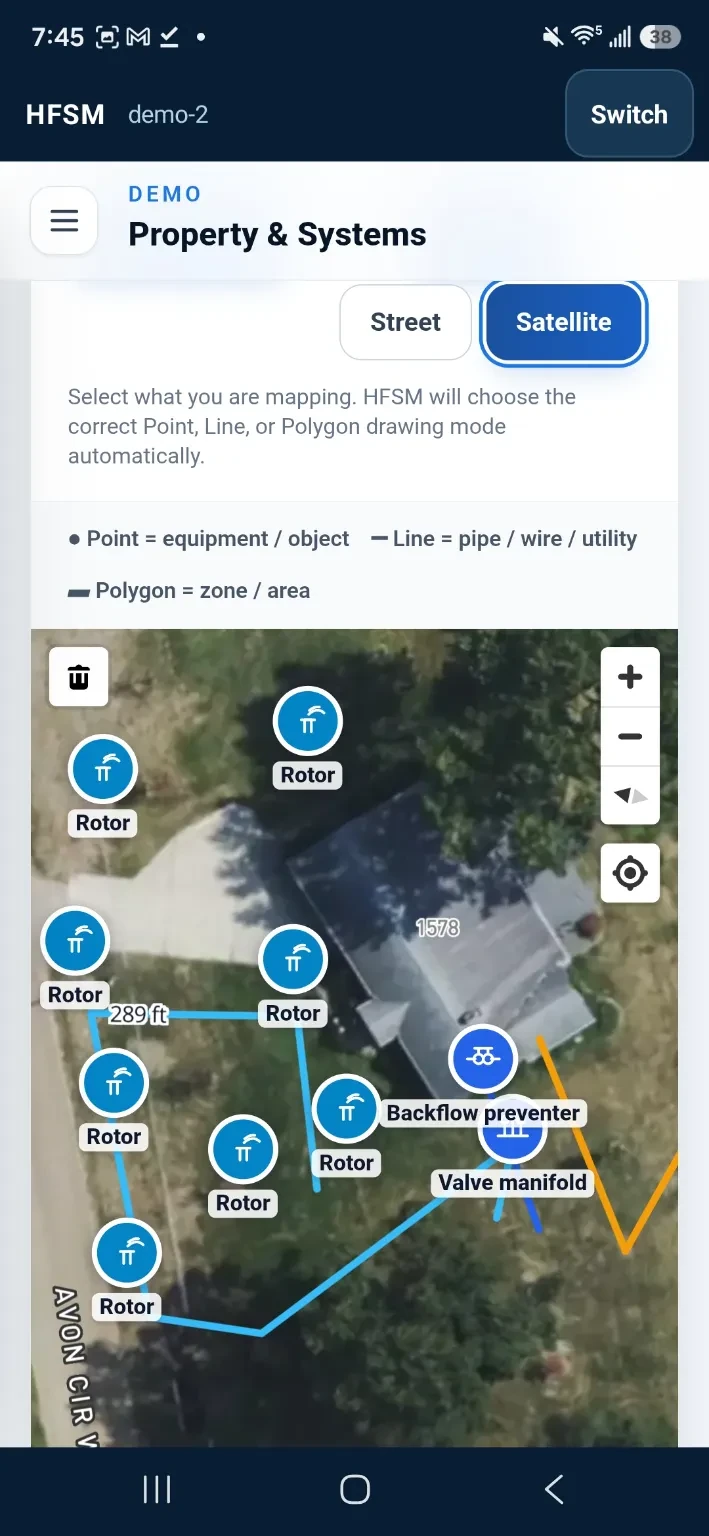
HFSM Property Maps 4.0 supports multi-trade site and utility mapping: irrigation equipment, electrical components and equipment, plumbing fixtures, pipe and wire routes, measured lengths, and mapped areas including estimated roof square footage. Roof measurements are planning estimates, not certified measurements; sloped roof surface area may differ from mapped plan area.
Property mapping & equipment · android
Satellite site and utility map
Property mapping & equipment · android
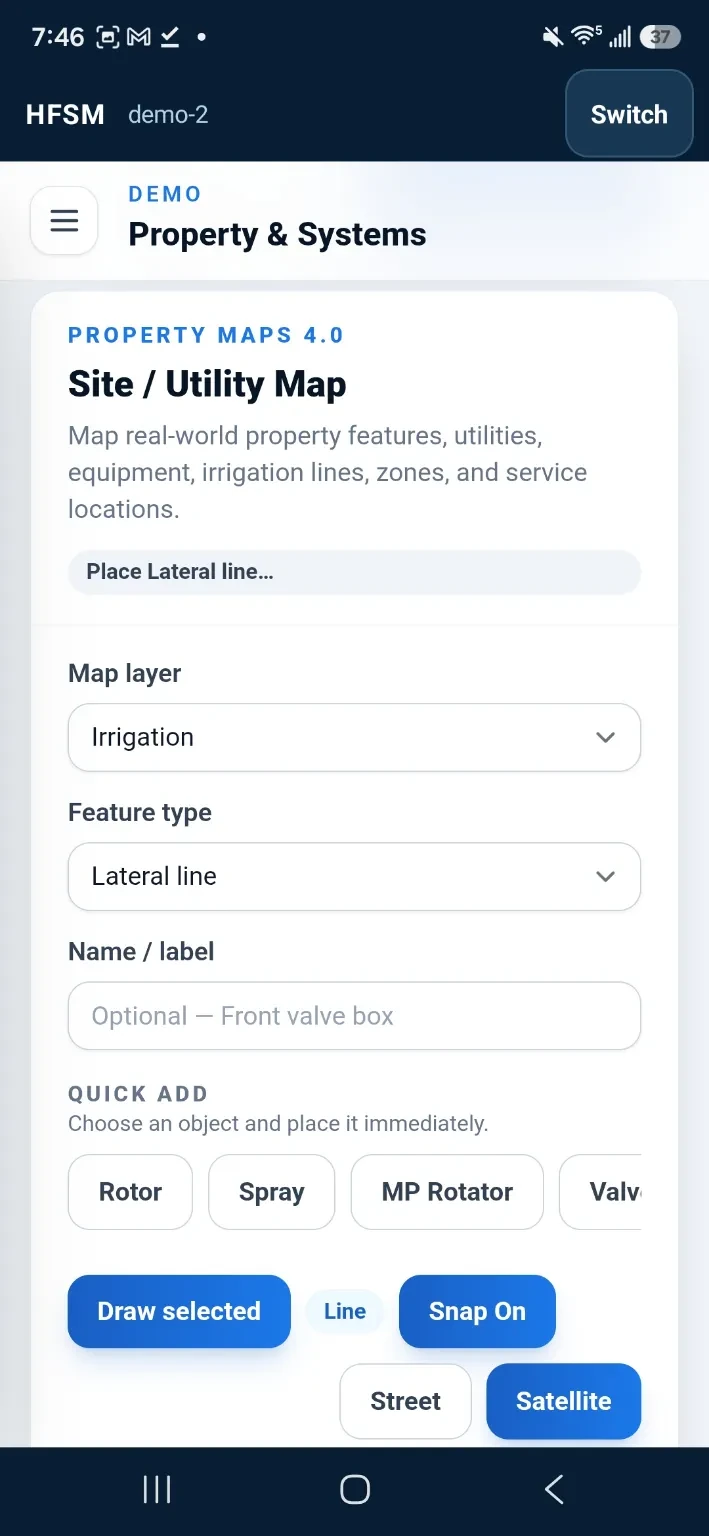
Site and utility map drawing controls
Property mapping & equipment · android
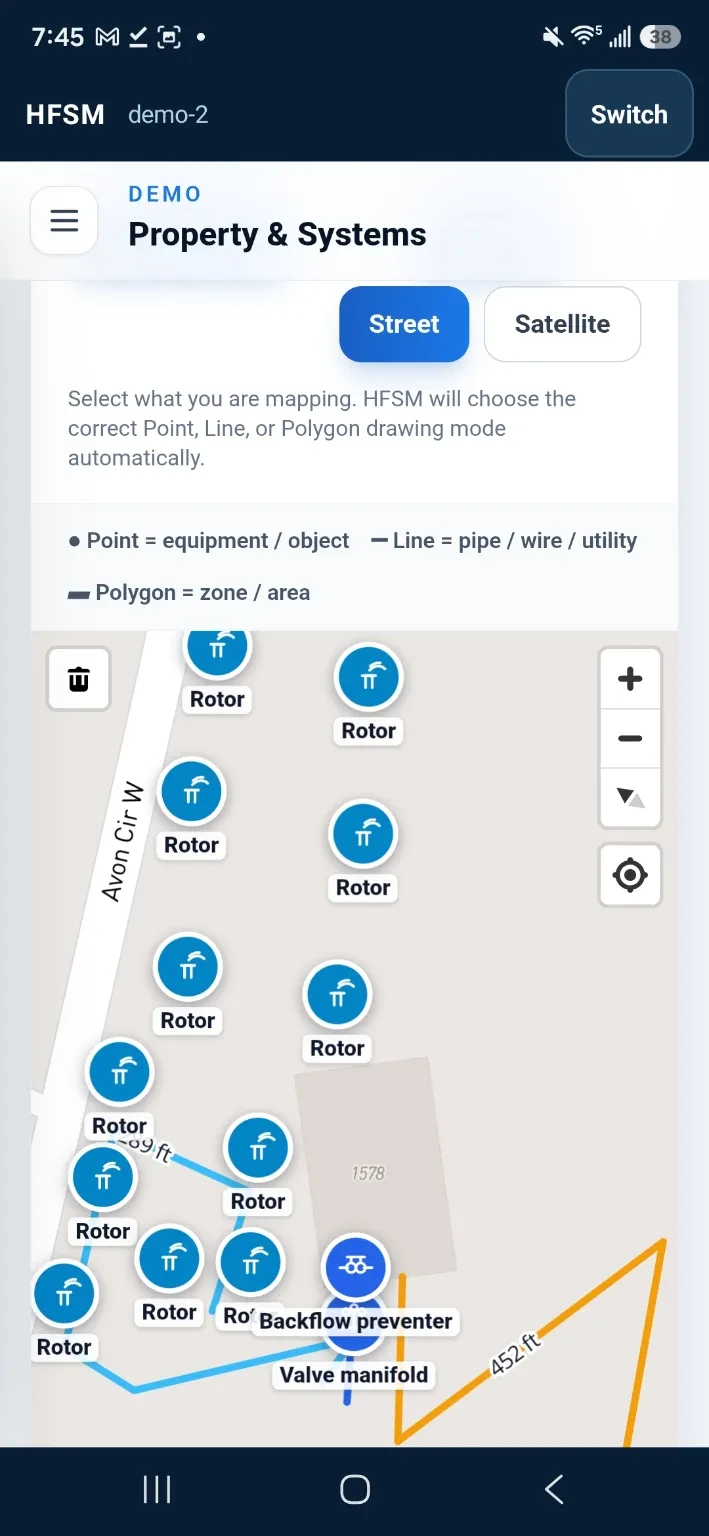
Street map equipment detail
Property mapping & equipment · android
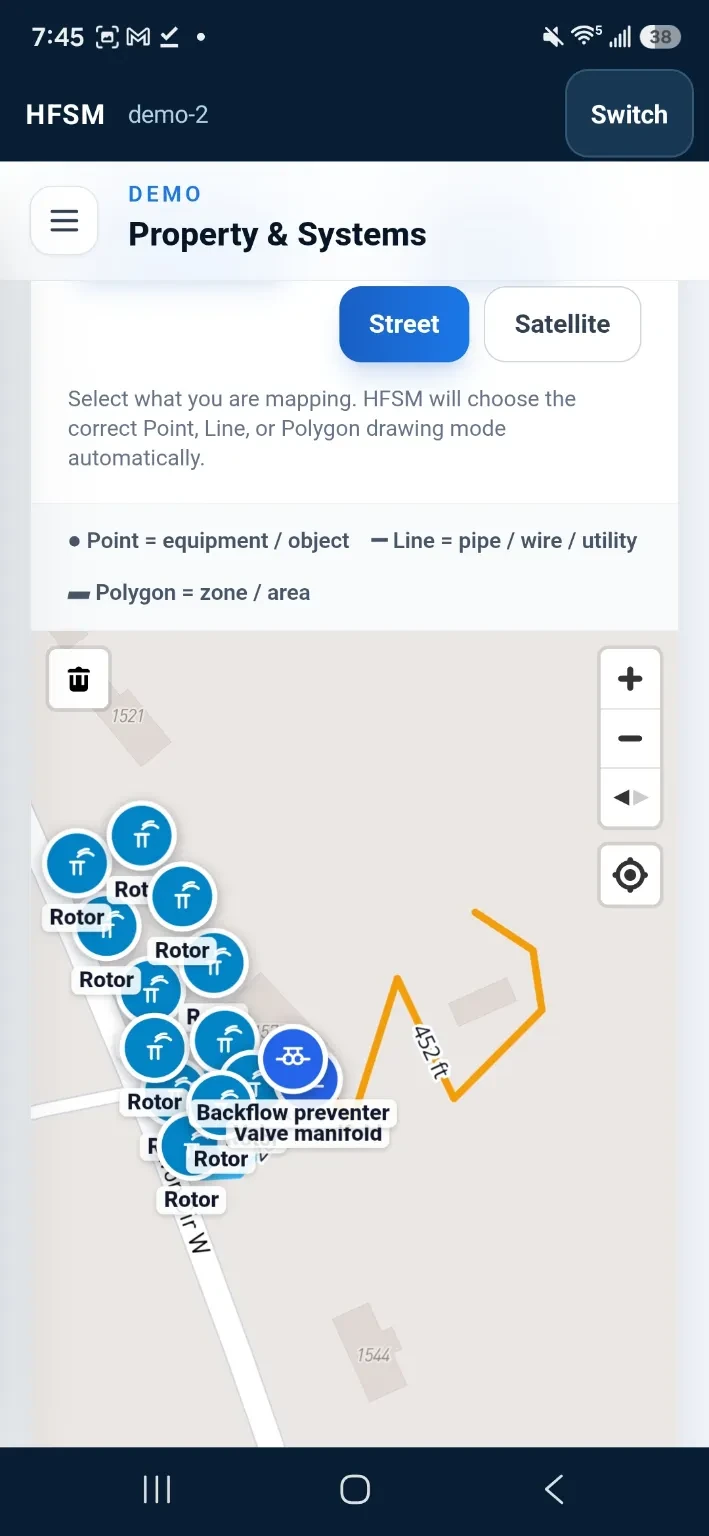
Street map overview
Property mapping & equipment · video
01 Property Map Layers
Frequently asked questions
How can I apply this in HFSM?
Explore the related workflow in the public demo and confirm that it meets your company’s requirements.
Bring your field service operation together with HFSM
Manage jobs, customers, field teams and administrative workflows from one platform.
Explore the interactive demo